- Good nonprofit advertising starts with a goal (donors, volunteers or awareness), not with whatever is trending.
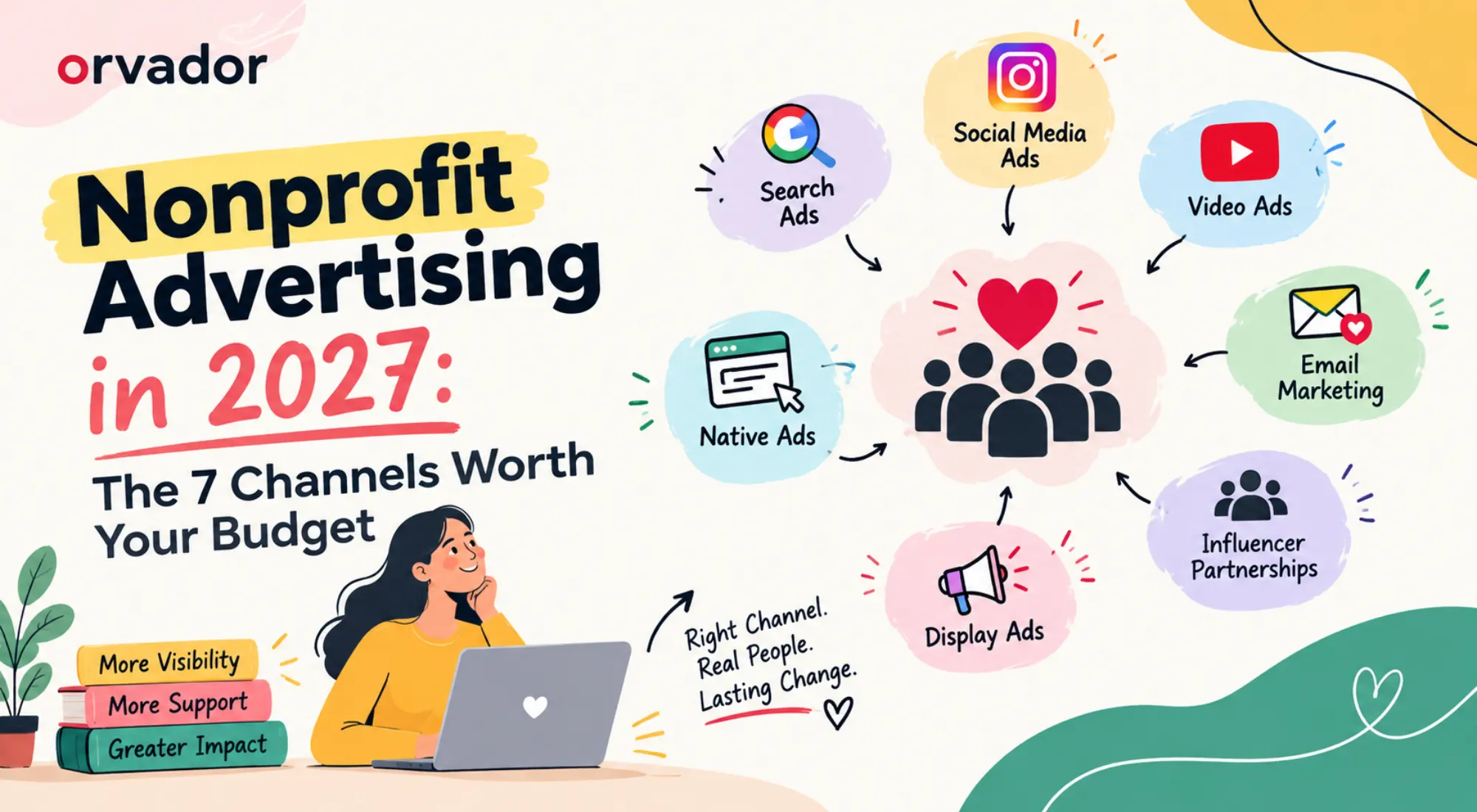
- Start with the free $10,000/month Google Ad Grant, then add paid search, Meta, LinkedIn, YouTube, display and native only where your goal needs them.
- Most small teams do better with two channels done well than seven done thinly.
- Count donations, not clicks. If your tracking can’t see a completed gift, fix that before you spend more.
Most nonprofit advertising budgets get wasted in the same way. Someone boosts a Facebook post, someone else sets up a Google account nobody checks, and six months later the board asks what the money did. This guide walks through the seven channels of digital advertising for nonprofits that deserve a place in your plan for 2027, how to split money between them, and how to tell whether any of it worked.
How Nonprofit Advertising Differs: Discounts, Grants and Compliance
Advertising for nonprofits isn’t just commercial advertising with a softer tone. Three things change the game.
Discounts and grants. Eligible organisations can get free ad credit that a business would never see. The big one is the Google Ad Grant, worth up to $10,000 a month in search ads. Microsoft Advertising runs a similar grant, and some platforms offer nonprofit pricing if you ask a rep. Terms change, so check each program’s current rules before you plan around it.
Different goals. A shop wants a sale. You might want a one-off gift, a monthly donor, a volunteer for Saturday mornings or a signature on a petition. Each needs different ads, landing pages and tracking.
Compliance. Ads about social issues often need extra authorisation and disclaimers, Meta being the usual example. Donor data also falls under privacy laws such as GDPR or India’s DPDP Act, so your tracking and consent setup matter as much as the ads.
The 7 Channels, in Plain Terms
-
1Google Ad Grants
Free search ads for eligible organisations, capped at $10,000 a month. The catches: text ads only, a $2 cap on bids under Maximize Clicks, and you need to hold a 5% click-through rate. It’s the best starting point in non profit advertising because it costs nothing but attention. We compare it with a regular account in our Google Ads vs Google Ad Grants post, and our Google Ad Grants service page covers setup.
Sample ad preview – replace with your own real details🔍 how to sponsor a child’s educationAdyourngo.orgSponsor a Child’s Education – Start Today$25 covers a month of school meals for one child. Text-only ad, shown free through the Google Ad Grant. -
2Paid Search
The grant’s bid cap keeps you out of the most competitive auctions. Paid search fills the gap. Use the grant for informational searches (“how to sponsor a child’s education”) and a small paid budget for “donate” and “volunteer near me” terms, where intent is highest. The two live in separate accounts, so they don’t compete.
Sample ad preview – replace with your own real details🔍 volunteer near meAdyourngo.org/volunteerVolunteer Near Me – Two Saturdays a MonthForty kids waiting. Sign up in two minutes.DonateOur ImpactSign Up -
3Meta (Facebook and Instagram)
The best channel for stories and for monthly giving. Upload your donor list to build lookalike audiences, retarget people who visited your donation page and test short video against single images. Expect a learning period before results settle.
Sample ad preview – replace with your own real detailsNYour NGO NameSponsored · 🌎Less than a cup of coffee a week. Every week, a child eats.Every week,
a child eats.yourngo.orgDonate Now👍 Like💬 Comment↪ Share -
4LinkedIn
Expensive per click, so keep it narrow. It earns its place when you’re after corporate partners, CSR leads, major donors, board members or skilled volunteers. Target by job title and company, and skip it entirely if your goal is small-ticket giving.
Sample ad preview – replace with your own real detailsNYour NGO NamePromotedLooking for a CSR partner? Help us fund school meals for children who need them.Partner with usyourngo.org/partnersLearn more -
5YouTube
Video lets people see the problem and the person you’re helping. Short skippable ads (15 to 30 seconds) work well for awareness, and eligible organisations can use YouTube’s nonprofit tools, like donation cards. It’s also a good feeder for retargeting. Ad Grants don’t cover video, so this one comes out of paid budget.
Sample ad preview – replace with your own real detailsAd · 0:20Skip Ad ▸One day with MeenaYour NGO Name · SponsoredDonate -
6Display
In non profit advertising, display is rarely a first-touch winner. Its strength is remarketing: following site visitors, people who abandoned a donation form and past donors with a gentle reminder. It’s cheap, and it keeps your name familiar between decisions.
Sample ad preview – replace with your own real detailsAdStill thinking about it? $25 covers a month of school meals.
Complete your gift -
7Native
Native ads sit inside article feeds on publisher sites. They suit long-form content such as impact reports, investigations and founder stories. Don’t expect many direct donations. Treat native as a way to build an email list of people already curious about your cause.
Sample ad preview – replace with your own real detailsPromoted by Your NGO NameThe story behind our impact report
Budget Split Framework by Goal
These are starting points for digital advertising for nonprofits, not rules. Run any split for 60 to 90 days, then move money toward whatever produces the cheapest completed action. The grant runs alongside all of this at no cost.
Awareness
Donors
Volunteers
If your total budget is small, drop to the first two channels in whichever row fits you. Thin budgets across five channels teach you nothing.
Creative That Works for Causes: 5 Ad Examples
Swap the numbers below for your own real costs. Made-up impact figures will cost you more trust than they win.
- The specific ask. “$25 covers a month of school meals for one child.” A number beats “support our work” nearly every time.
- One person, not a crowd. A 20-second video of a single beneficiary or volunteer talking about one day. Works well on YouTube and Reels.
- Monthly framing. “Less than a cup of coffee a week. Every week, a child eats.” Suits Meta, aimed at people who’ve already engaged.
- The volunteer call. “Two Saturdays a month. Forty kids waiting. Sign up in two minutes.” Short, concrete, easy to say yes to.
- The transparency ad. A simple graphic showing where each rupee or dollar goes. Best on display remarketing, because it answers the doubt that stops people at the donation form.
Measurement: From Click to Donation
Clicks flatter you, and nonprofit advertising that can’t see a completed gift is guesswork. Here’s what to set up before launch:
- Fire a donation-completed event in GA4 with the gift value, and import it into Google Ads and Meta as a conversion.
- If your donation form lives on another domain (Razorpay, Donorbox, Stripe and similar), set up cross-domain tracking, or those gifts will show as direct traffic.
- Tag every ad with UTMs so you can compare channels in one report.
- Track cost per donor, first-gift return on ad spend and, after six months, the value of a monthly donor over time. A channel that looks pricey on day one can win over a year.
- For volunteers, track sign-up completions and, later, how many actually showed up.
Digital advertising for nonprofits only earns its keep when the numbers hold up. Our work with Educate Girls is a useful reference. The case study shows a gross 2x ROAS from paid channels and about 90% grant utilisation. For the full picture of how ads fit with SEO, email and content, read our nonprofit marketing guide.
Want Help Building the Plan?
If you’d rather not work out advertising for nonprofits alone, our NGO digital marketing team does this every week. Book a Free Paid Media Plan for Your NGO and we’ll show you which channels fit your goal and budget.