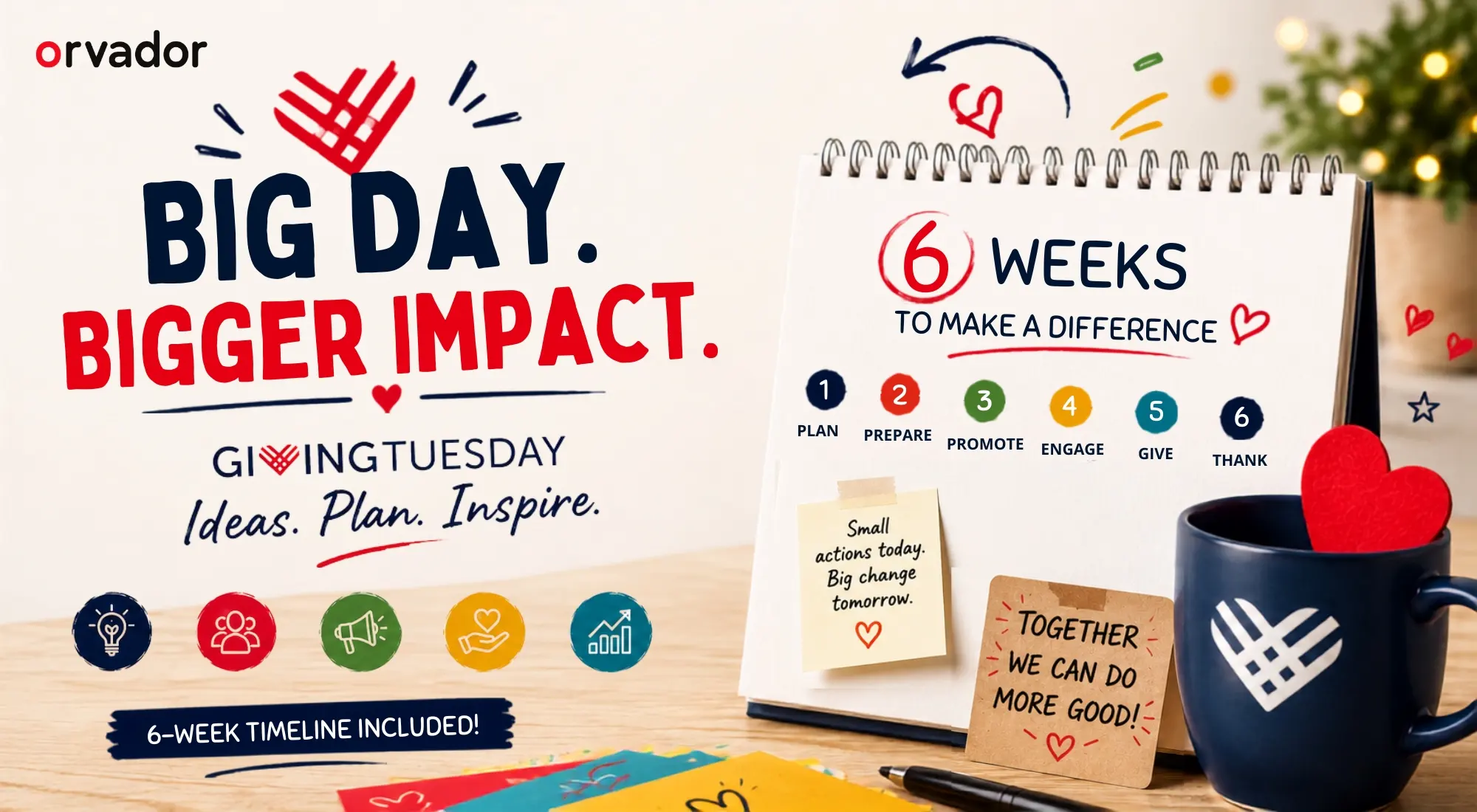
TL;DR: GivingTuesday 2026 falls on December 1, and it remains an important starting point for year-end giving for nonprofits of every size. This guide breaks down 12 practical GivingTuesday campaign ideas for nonprofits by budget, a 6-week countdown timeline you can turn into a checklist, ready-to-use email and social templates, and a plan for matching gifts and corporate tie-ins. If you’re searching for GivingTuesday 2026 ideas or trying to build your first GivingTuesday nonprofit campaign, start here, then use the timeline to work backward from December 1. For a full year-round strategy, see our Fundraising & Donor Growth guide.
Why GivingTuesday Still Works (The Numbers)
Some nonprofits have started asking whether GivingTuesday has peaked. The data suggests otherwise; the way people participate is simply changing. Recent GivingTuesday campaigns have pushed total US donations past $4 billion in a single day, and the event has generated well over $20 billion cumulatively since it began in 2012. That’s not a niche trend; it’s one of the largest coordinated giving days on the calendar.
What has changed is donor behavior. Total dollars raised continue to climb even as the number of individual donors has softened slightly. That means today’s GivingTuesday nonprofit campaigns are less about reaching the widest possible audience and more about activating the right supporters — your existing list, your board’s network, and your most engaged monthly donors — with a message specific enough to encourage a gift.
There’s also a retention angle that smaller nonprofits often overlook. A large share of donors who set up a recurring gift on GivingTuesday go on to make a second gift before the year ends, and December as a whole typically accounts for more than a third of annual online giving, with the final week alone driving another meaningful chunk. In other words, GivingTuesday isn’t just a single-day event; it can be the starting point for your entire year-end campaign.
For a nonprofit deciding whether to invest staff time in GivingTuesday 2026, the numbers support running a campaign at whatever size your team can realistically sustain. Even a modest, well-timed campaign can outperform a rushed, larger one.
12 GivingTuesday Campaign Ideas by Budget Level
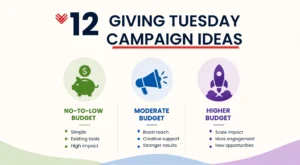
Not every organization has an agency, a designer, and a CRM automation team. These GivingTuesday campaign ideas are grouped so you can choose what fits your capacity, rather than trying to replicate what looks good in someone else’s case study.
No-to-low budget (1–2 staff, existing tools only)
- A single, specific ask email – Instead of a generic appeal, name one clear outcome the gift funds (e.g., “$40 covers one week of meals for a family”).
- A text-to-give link shared across existing channels, paired with a countdown graphic made in a free design tool.
- A pledge drive where supporters commit publicly before December 1, creating social proof that builds throughout the week.
- A “thank a donor” social series that reposts past supporter stories. It requires little production but can create a strong emotional connection.
Moderate budget (small paid boost, some design support)
- A matching-gift campaign anchored by one board member or local business doubling gifts up to a set cap.
- A social media fundraiser using platform-native donation tools (Facebook, Instagram) to reduce the number of clicks needed to make a gift.
- A direct mail + email combo for donors over 55, who still respond strongly to physical appeals paired with a digital follow-up.
- A themed hourly challenge (e.g., “Give by noon and unlock a bonus match”) that creates urgency without requiring new technology.
Higher budget (peer-to-peer, video, paid media)
- A peer-to-peer fundraiser where supporters build personal pages. This can bring in new-to-file donors who may trust a friend’s personal ask more than an institutional one.
- A short video appeal (60–90 seconds) featuring a beneficiary or staff member, run as both organic content and light paid promotion.
- A virtual event or livestream tied to the day, giving major and mid-level donors a reason to show up in real time.
- A corporate matching gift portal integration that automatically flags employees whose employers will match their gifts. For organizations with the right donor base, this can be one of the highest-ROI additions to a GivingTuesday nonprofit campaign.
The best GivingTuesday campaigns don’t necessarily have the biggest budgets or the most elaborate creative. They usually have a clear goal, a specific audience, a simple way to give, and a message donors can understand immediately.
The 6-Week Countdown Timeline (Weekly Checklist)
This is the backbone of any GivingTuesday for nonprofits strategy. Work backward from December 1, 2026.
- Week 6 (mid-October): Set your dollar goal and theme. Confirm whether a matching-gift sponsor is realistic this year. Audit your donation page for mobile speed and one-click giving.
- Week 5: Segment your email list (new donors, lapsed donors, monthly donors, major donors). Each group needs a different ask, rather than receiving the same blast.
- Week 4: Draft and internally approve all email and social copy. Build your countdown graphics and any video content now, while there’s still time to make changes or reshoot.
- Week 3: Recruit board members and top donors to share personal posts or make first gifts as social proof. Schedule “save the date” emails.
- Week 2: Finalize your matching-gift structure and test your donation form end to end, including on mobile.
- Week 1 (Thanksgiving week): Send a warm-up email that isn’t an ask — gratitude, an impact story, and a preview of Tuesday’s goal. For nonprofits looking to strengthen their storytelling before the campaign, see our guide on impact storytelling for nonprofits.
- Day-of (December 1): Execute your posting and email cadence (see next section), and monitor results in real time.
- Week +1: Send thank-you messages within 48 hours and open the door to converting one-time gifts into recurring ones.
Email & Social Templates You Can Copy
Subject line options: “One day. One goal. Will you join us?” / “Your $[X] gift, doubled today only” / “We’re $[amount] from our GivingTuesday goal”
Email skeleton:
Today is GivingTuesday — a single day when [cause context] gets a real boost. Every gift given before midnight [is matched dollar-for-dollar / helps us reach our goal of $X]. Here’s what your gift does: [one concrete outcome]. [Donate button]. Thank you for being part of this.
Social post skeleton:
It’s GivingTuesday. For the next 24 hours, every dollar you give goes toward [specific outcome]. [Matching gift line, if applicable]. Tap the link to give in under a minute. #GivingTuesday
Keep both short. GivingTuesday inboxes and social feeds are crowded; specificity beats length every time.
Matching Gifts & Corporate Tie-Ins
GivingTuesday matching gifts remain one of the most reliable levers in a GivingTuesday campaign, and corporate matching now represents a meaningful and growing share of overall corporate giving. For nonprofits considering matching funds for GivingTuesday, three tie-in approaches work well:
- A single sponsor match: One board member, founder, or local business commits to matching gifts up to a fixed dollar amount — simple to communicate and easy to track publicly.
- Employer matching programs: Many donors don’t realize their employer will match their gift. Adding a matching-gift lookup tool to your donation page, and mentioning it explicitly in your emails, can meaningfully lift your total without requiring you to find new donors.
- In-kind corporate partnerships: A local business donating a percentage of GivingTuesday sales, or covering your platform fees for the day, stretches your match further without requiring new cash from your own budget.
Whichever structure you choose, name the match amount and the deadline clearly. Vague matching language (“gifts may be matched”) converts far worse than a specific number and a clear countdown.
Day-Of Execution & Real-Time Optimisation
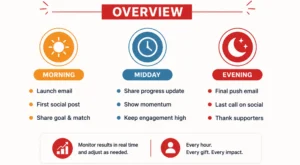
On December 1, plan for at least three touchpoints across the day rather than sending one email and calling it done:
- Morning: Launch email + first social post, framed around the goal and the match.
- Midday: Share a progress update (“We’re halfway to our goal!”). Momentum messaging consistently works better than simply repeating the original ask.
- Evening: Send a final push email with urgency language (“6 hours left”) and a last social post thanking early donors by name or number.
Watch your donation form’s conversion rate in real time. If mobile completions are lagging, that’s usually a sign the form has too many required fields. If your platform allows quick edits, it’s a problem you may be able to fix on the day itself.
If a channel is underperforming — say, email opens are strong but social clicks are weak — shift your remaining posting cadence rather than waiting until the next campaign to adjust.
Post-Campaign: Converting One-Time Givers to Monthly
The highest-value work happens after December 1. Send a thank-you within 48 hours — not just a receipt, but a genuine thank-you — and follow it a few days later with an invitation to convert the gift into a recurring one. Frame that invitation around ongoing impact rather than another immediate ask.
Donors who set up recurring gifts around GivingTuesday are notably likely to give again before the year closes, which makes this conversion window one of the most efficient in your entire calendar. Pair this with an update to your donor management workflow so new GivingTuesday donors are tagged and enrolled in a stewardship sequence rather than falling into a generic list.
For a deeper strategy around this stage of the donor journey, see Donor Retention Through Email Automation.
Ready to plan your GivingTuesday campaign?
December 1 comes fast once October hits. Book your GivingTuesday campaign support with Orvador before November and get your 6-week timeline, templates, and matching-gift strategy built and ready to launch.